

A good celebration has two jobs. First, get the right people there. Second, make the guest of honor feel loved while they're in the room.
Most of us only plan for the first job. We book the venue, send the invite, chase the replies, and hope the moment takes care of itself. But the moments people remember are usually the ones where they felt seen: a boss reading out a kind note, a friend telling a story, a message from someone who couldn't make it.
This post shows how two simple tools work side by side. Invyt handles the invitations and RSVPs. Folksee handles the heartfelt part: a reel of video messages from everyone who cares. Together they take a lot of the stress out of planning, and they leave you with something the guest of honor can keep.
Invyt is a digital invitation and RSVP app. You create an invitation, share one link, and guests RSVP themselves. Your guest list builds as people respond, so you don't have to collect contacts or keep a spreadsheet. It's free to design, guests don't need to download an app, and you can share the link anywhere, including WhatsApp, SMS, group chats or email. Invyt also covers wedding websites and corporate events.
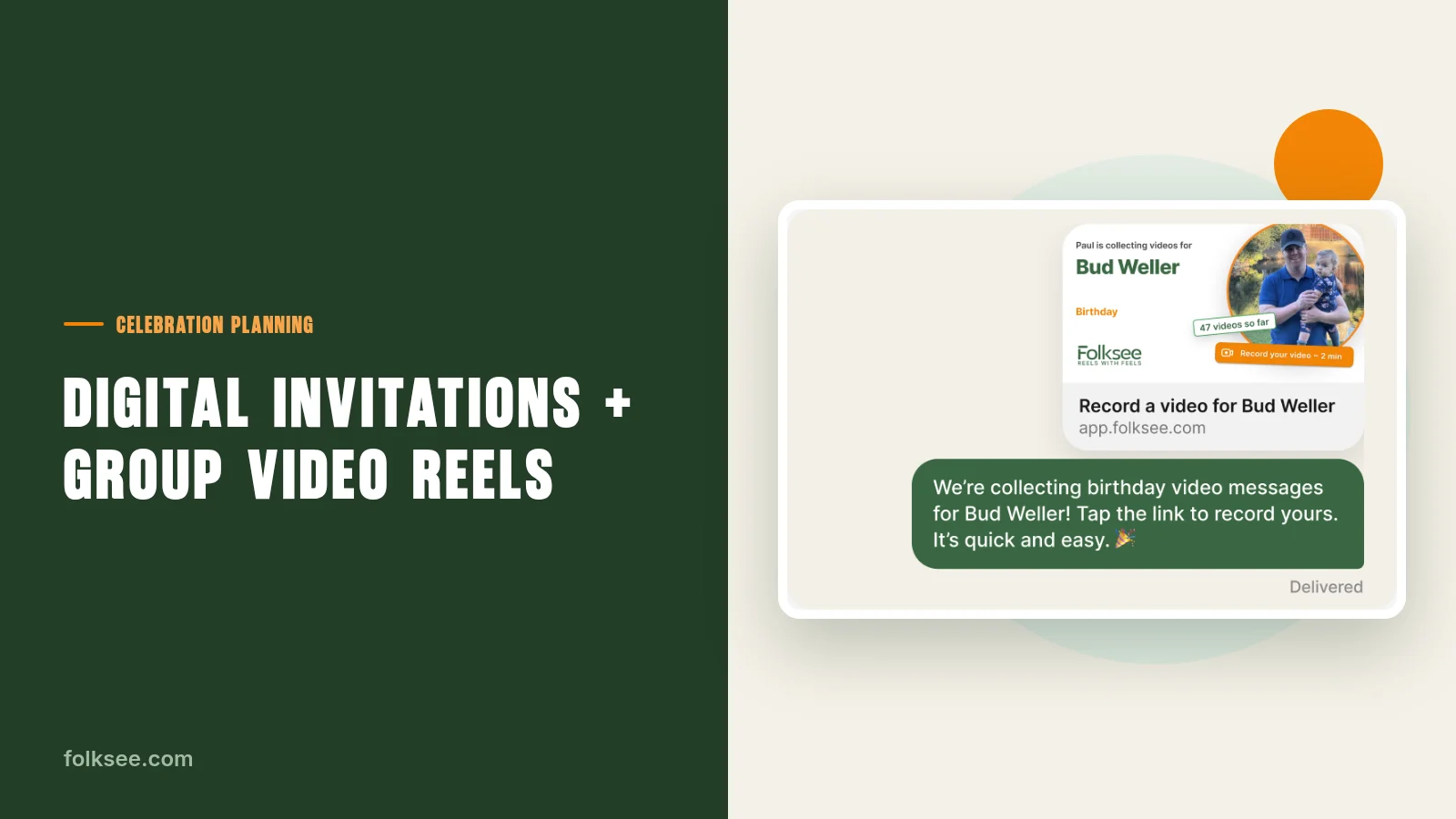
Folksee is "Reels with Feels," a feel-good brand that makes it easy for people to feel loved. Friends, family or coworkers record short video messages, and Folksee automatically combines them into one heartfelt reel. There's no app and no editing needed.
Invyt answers "who's coming?" Folksee answers "what will they take home?" They don't overlap, and that's why they fit well together.
Here's a simple timeline you can adapt. It assumes you start about three weeks before the event, but it works with less.
Start with the basics: date, time, place and a short note about the occasion. Pick a design, then copy the link and drop it into your group chat, text thread or email. Because guests RSVP through the link, you don't need everyone's contact details first.
If it's a surprise, say so in the invite text. Something like "Shh, it's a surprise!" saves a lot of accidental spoilers.
Invyt shows who is coming in real time, including plus ones, dietary needs and any messages guests leave. Check in a few days later. If replies are slow, nudge the group chat with the same link instead of messaging people one by one.
Use this stage to sort your guests into two groups: those who will be there, and those who can't make it.
Now create your reel on Folksee and share the link with both groups. Make the ask short and specific:
"We're putting together a video for Sarah's retirement. Record a message of up to about 45 seconds by Friday. Share a favorite memory, or just say thanks. No app and no editing needed."
Guests sign in to record, say a few words, and they're done. Ask your "can't make it" guests first. They're often the most grateful to be included.
A few prompts help people who freeze up on camera:
Pick a date about three or four days before the event. That gives you time to send one friendly reminder and for Folksee to combine everything into one reel. Send the reminder to the same group chat where you shared the invitation.
Folksee automatically combines the messages into one heartfelt reel. Watch it once before the event so you know it plays properly on the screen or TV you plan to use. If you're short on messages, extend the deadline by a day or two. A handful of sincere clips is better than a long reel of polite ones.
Choose the right moment: after the food, before the toast, or right before the cake. Dim the lights if you can, and let people watch. Keep the room quiet for the first minute. Those are the moments people will remember.
After the event, share the reel link with guests who couldn't attend, and send a copy to the guest of honor.
Birthdays. Use the invitation for the logistics and the reel for the sentiment. A birthday reel works especially well when friends come from different parts of someone's life and might not know each other.
Retirements. Invite coworkers, past teammates and family. Ask for one lesson, one funny memory and one wish. The reel becomes a career highlight that someone can rewatch for years.
Farewells. When someone is leaving the team, people are often busy and scattered. Share both links in the same message so people can RSVP and record in one go. Remote teammates can contribute without being in the room.
Weddings. Invyt offers wedding websites alongside invitations, so you can keep the details in one place. Add the Folksee link for guests who'd like to leave a message for the couple. Play the reel at the reception, or give it to the couple afterward as a keepsake.
Baby showers, milestones and just-because moments. The same two links work. Not every celebration needs a venue. Sometimes an invitation to a video call plus a reel of messages is enough.
An invitation gets people in the room. A reel gets the feeling into the room. Use Invyt to send your invitation and keep track of who's coming, then use Folksee to gather the messages that make the guest of honor feel loved. It's an easy plan, and it works for nearly any celebration.
Ready to make someone feel loved? Create your Folksee reel at folksee.com: no app and no editing needed.
Planning the invitations? Take a look at Invyt to create an invite, share one link and let guests RSVP themselves.
Reels with feels
Invite friends and family with one link. Everyone records a short video from any device, no app needed, and Folksee turns them into one heartfelt reel.
Start a free group video →Why we made Folksee
People deflect love when you say it to their face. A reel takes the room away, so it finally lands — and it's the opposite of doomscrolling.
Read what Reels with Feels means →


Everything works best in your phone’s browser. Tap below to open Folksee in Chrome/ Safari.

