

Gone are the days when a simple "Happy Birthday" text message or a store-bought card felt like enough. In today's digital age, birthday videos have become the gold standard for celebrating the people we love. And for good reason... a personalized video shows effort, creativity, and genuine thoughtfulness in a way that a quick text simply can't match.
Think about it: when someone receives a birthday video, they get to see your face, hear your voice, and feel the energy and excitement you put into celebrating them. Videos are more engaging, more memorable, and infinitely more shareable than traditional greetings. They can be watched over and over again, saved as keepsakes, and shared with family and friends. A well-made birthday video becomes a gift in itself, something the recipient will treasure long after their birthday candles are blown out.
The best part? Making a birthday video has never been easier. You don't need expensive equipment, professional editing skills, or hours of free time. With the right tools and a little creativity, you can create a stunning birthday video right from your phone or computer in just minutes. Whether you want to make a birthday wishes video expressing your love and appreciation, compile messages from multiple people for a surprise group video, or create something fun and creative with music and effects, the process is straightforward and accessible to everyone.
This comprehensive guide will walk you through everything you need to know about how to make a birthday video. We'll cover the best platforms and tools available (including our recommended option, Folksee), creative ideas for making your video engaging and personal, step-by-step instructions for adding music and effects, and tips for ensuring your final product looks polished and professional. By the end of this article, you'll have everything you need to create birthday videos that wow your friends and family every single time.
Now that you know your tool options, let's walk through the actual process of creating your birthday video.
Before you start recording or editing, take a few minutes to plan what you want to create.
Decide on Your Approach:
Consider Length: Aim for 2-5 minutes for most birthday videos. Shorter than 2 minutes can feel rushed, longer than 5 minutes can lose people's attention unless it's a milestone birthday or very special occasion.
Think About Tone: Will your video be funny, sentimental, inspirational, or a mix? Matching the tone to the birthday person's personality is key.
Collect everything you'll need before you start creating:
Video Clips:
Photos:
Music:
If you're recording your own birthday wishes, here are tips for making it great:
Technical Tips:
Content Tips:
Pro Tip: Record multiple takes. You don't have to get it perfect on the first try. Film 2-3 versions and choose your favorite when editing.
This is where your chosen tool comes into play. Here's the general process regardless of platform:
Import Your Content: Upload all your video clips, photos, and any graphics you want to include.
Arrange Your Timeline: Place your content in the order you want it to appear. Generally, start strong with a greeting, build through memories and messages, and end with a heartfelt conclusion.
Add Transitions: Use smooth transitions between clips and photos. Folksee does this automatically with its templates, but other tools let you choose from fades, wipes, or other effects. Don't overdo it... subtle transitions look more professional.
Incorporate Text: Add text overlays for:
Apply Filters or Effects (Optional): Most platforms offer filters or color corrections. Use these sparingly... you want your video to look polished, not overly processed.
Preview and Refine: Watch your video all the way through at least twice. Check for:
Once you're happy with your video:
Export in High Quality: Choose the highest quality export option available. Most platforms offer HD or 1080p... use it. The file will be larger, but the video will look much better.
Save a Copy for Yourself: Always save a copy to your device before sharing. You'll want this as a backup and for future reference.
Choose Your Sharing Method:
Read also: Funny Birthday Wishes: Messages for Every Person in Your Life
Music transforms a good birthday video into a great one. Here's how to add music effectively.
Personal Connection: The best choice is a song that means something to the birthday person. Consider:
Royalty-Free Options: If you're concerned about copyright (especially if sharing publicly), use royalty-free music from:
Balance Audio Levels: If your video includes people speaking, lower the music volume during those sections so words are clearly audible. Music should enhance, not overpower, the message.
Use Fade In/Out: Don't start music abruptly... use fade in at the beginning and fade out at the end for a professional sound.
Match Music to Pace: If your video has fast-paced clips and energetic moments, choose upbeat music. For emotional or sentimental videos, choose slower, more touching tracks.
Consider Multiple Songs: For longer videos (5+ minutes), consider using different songs for different sections to maintain interest and match changing moods.
Copyright Awareness: If you're posting your video publicly on social media, be aware that copyrighted music can lead to your video being muted or removed. Stick with royalty-free options for public sharing.
The foundation of a great birthday video starts with choosing the right platform. Here are the top tools available, each with its own strengths.
We saw a gap in the market... people wanted to create meaningful, professional-looking birthday videos that included messages from friends and family scattered across the globe, but existing tools made this process frustratingly complicated. So we built something better.
Folksee was born from a simple idea: bringing people together, no matter where they are in the world, to celebrate someone special. We designed it specifically as a tool that connects everyone... your college roommate in Australia, your grandmother across the country, your coworkers down the street, and you... all contributing to one beautiful birthday video without the usual headaches of collecting files, dealing with different formats, or spending hours on complex editing.
The platform's collaborative capability is where it truly shines. You simply send a shareable link to anyone you want to include, and they can record and upload their birthday message directly through their browser or phone. No apps to download, no accounts to create, no technical knowledge required. They just click, record, and submit. It's that simple. We've watched people create videos with messages from 20+ contributors without breaking a sweat, and honestly, making that possible was exactly why we built this.
Beyond the collaboration feature, we've packed Folksee with everything you need for a polished final product. Our professionally designed templates are crafted specifically for birthdays... not repurposed from wedding or corporate designs. Just upload your clips and photos (or let the platform collect them from others), choose a style that matches the birthday person's vibe, and our system automatically compiles everything into a cohesive, beautiful video. You can rearrange clips with simple drag-and-drop, add smooth transitions, and adjust timing without ever touching a complicated timeline.
We've also included a curated music library with royalty-free tracks perfect for birthday celebrations, so you never have to worry about copyright issues or spending hours searching for the right song. And when you're done? Your video exports in crisp HD quality, ready to share however you'd like.
Best For: Anyone who wants professional results without the learning curve, especially for collaborative group videos where multiple people contribute messages. Perfect for busy people who want to create something truly special without becoming video editing experts.
How to Use Folksee:
We created Folksee because we believe celebrating the people you love shouldn't be complicated. It should be joyful, meaningful, and accessible to everyone... regardless of technical skill or geographic location. That's what we've built, and we're pretty proud of it.
CapCut is a free mobile and desktop app that's become incredibly popular, especially among younger users who want to create TikTok-style birthday videos with trendy effects and transitions.
Best For: Creating fun, energetic birthday videos with popular music, trendy filters, and effects. Perfect if you want a more casual, social-media-style video rather than a traditional montage.
Key Features: Extensive effects library, trending templates, easy-to-use interface, text animations, and filters that are constantly updated with popular styles.
How to Use: Download the app, import your video clips and photos, choose from trending templates or build from scratch, add text overlays and effects, include music from their library, and export to share.
Canva Video is an excellent choice if you want to create a birthday video that includes professional-looking graphics, text slides, and design elements alongside your video clips.
Best For: People who want to mix video clips with designed slides, quotes, or graphics. Great for creating a more polished, presentation-style birthday video.
Key Features: Thousands of templates, easy-to-use design tools, ability to mix photos, videos, and designed slides, and a vast library of stock footage and music.
How to Use: Log into Canva, search for video templates, choose a birthday-themed template or start from scratch, upload your video clips and photos, add text and design elements, include background music, and download your finished video.
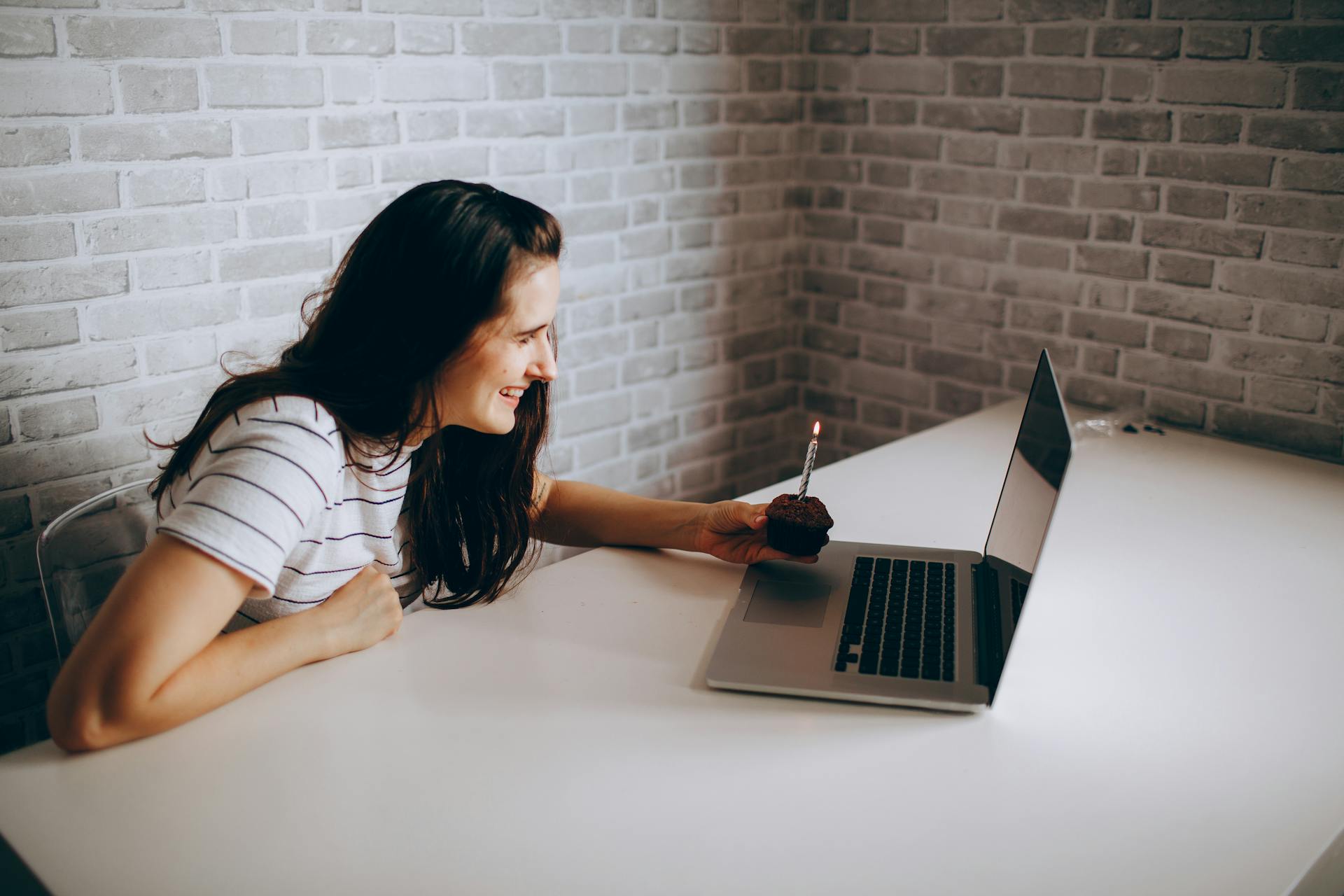
A great birthday video is more than just clips strung together. Here are ideas to make yours truly special and memorable.
The "Year in Review" Approach: Create a video that highlights moments from the past year of the birthday person's life. Include photos and clips from their experiences, achievements, travels, and memorable moments. This works especially well for milestone birthdays.
The "This Is Your Life" Style: Organize your video chronologically, featuring photos and stories from different eras of their life. Start with childhood photos, move through teenage years and young adulthood, and end with recent memories. This nostalgic approach is incredibly touching.
The "Tribute from Everyone" Format: Collect short video messages from different people in the birthday person's life. Each person shares a favorite memory, a quality they admire, or a birthday wish. This collaborative approach shows how many lives they've touched.
The "Day in the Life" Surprise: Film yourself or others throughout the birthday person's special day, capturing reactions to surprises, celebration moments, and candid happiness. This documentary-style approach creates a keepsake of their actual birthday.
The "Message + Memories" Mix: Alternate between clips of you speaking directly to the camera and photos/videos of shared experiences. This structure keeps the video dynamic and personal.
For Your Best Friend:
For Your Partner:
For Your Parent:
For Your Child:
Vary Your Content Types: Mix video clips, photos, and text screens to keep visual interest. Don't use the same format for too long.
Use Movement: Even with still photos, platforms like Canva and iMovie offer zoom and pan effects (the "Ken Burns effect") that add movement and energy to static images.
Include Text Overlays: Add context to photos with captions like "Summer 2024" or "First day at new job." Use text to highlight quotes, inside jokes, or important messages.
Color Coordinate: If your platform allows, choose filters or color schemes that complement each other throughout the video for a cohesive look.
Don't Overcrowd: Sometimes less is more. A few well-chosen photos with longer display time can be more impactful than dozens of quick flashes.
If you're struggling with what to actually say when recording your message, here's a framework:
Opening (5-10 seconds):
Body (30-90 seconds):
Closing (10-15 seconds):
Example Script: "Happy Birthday, Mom! I wanted to take a moment to tell you how much you mean to me. I'll never forget all those times you stayed up late helping me with school projects, or how you always knew exactly what to say when I was struggling. You taught me the importance of kindness, hard work, and never giving up on my dreams. Thank you for being not just an amazing mother, but also my friend and my inspiration. I hope this year brings you all the happiness you deserve. Love you so much! Have the best birthday ever!"
Learning from others' mistakes can save you time and frustration. Here are pitfalls to avoid:
Poor Lighting: Videos filmed in dark rooms or with harsh overhead lighting look amateur. Always prioritize good, natural light.
Shaky Footage: Holding your phone while recording creates shaky, unprofessional-looking clips. Prop your phone up or use a tripod.
Too Long: Even heartfelt videos lose impact if they drag on too long. Edit ruthlessly and keep it concise.
Bad Audio: If people can't hear what you're saying, your message is lost. Record in quiet spaces and test your audio before committing to a long recording.
Forgetting to Preview: Always watch your entire video before sending. Check for timing issues, typos, or awkward transitions.
Copyright Violations: Using copyrighted music on public posts can get your video removed or muted. Use royalty-free options for anything shared publicly.
Overusing Effects: Excessive filters, transitions, and effects make videos look amateurish rather than professional. When in doubt, keep it simple.
Poor Planning: Starting without a plan leads to disorganized, rambling videos. Spend a few minutes outlining your video before you start creating.
Maybe you're reading all of this and thinking, "This sounds great, but is it really worth the time compared to just sending a nice text or buying a card?" Let's address that honest question directly.
When was the last time you rewatched a birthday text someone sent you? Probably never. Text messages get buried in threads, forgotten within days. Cards get stored in drawers or eventually thrown away. But a birthday video? That becomes a keepsake that gets rewatched on bad days, shared with others, and treasured for years.
Creating a birthday video with a tool like Folksee takes about 20-30 minutes from start to finish. That's less time than you'd spend going to the store, browsing cards, writing a message, and either mailing it or delivering it in person. For a solo video using your phone, you're looking at 15-20 minutes total. That's roughly the same amount of time you'd spend scrolling social media mindlessly... but this time creates something meaningful.
Think about the last time someone made something specifically for you. How did that feel compared to something store-bought or mass-produced? Your video doesn't have to be perfect to be powerful. In fact, the slight imperfections... a nervous laugh, a genuine smile, your authentic voice... are often what make it most touching. People don't remember technical perfection; they remember feeling seen, valued, and celebrated.
Your first birthday video might take a bit longer as you figure out your chosen tool. But by your second or third video, you'll fly through the process. Many people who start making birthday videos find it becomes their go-to gift because once you know the process, it's actually easier than traditional gift shopping.
Imagine the birthday person five, ten, or twenty years from now rewatching your video. Hearing your voice, seeing your face, remembering that moment in their life. Texts and cards can't provide that. Videos become more valuable as time passes, not less.
With collaborative platforms like Folksee, you can spread the effort across multiple people. You organize it, others contribute their clips, and the platform does the heavy lifting of compilation. Your 20 minutes of effort results in a 3-5 minute video filled with love from multiple people. That's a pretty incredible return on investment.
If you're still hesitant, start with something simple. Record a 30-second message on your phone wishing them happy birthday. Upload it to Folksee with a few photos. Add a song. Boom... you've created a meaningful video in under 15 minutes. See how they react. We're betting their response will convince you that yes, it was absolutely worth the effort.
The truth is, people remember how you made them feel, not what you spent. A thoughtful birthday video makes people feel seen, valued, celebrated, and loved in a way that few other gifts can match. And in a world of quick texts and impersonal greetings, taking even 20 minutes to create something personal and lasting? That speaks volumes about how much someone means to you.
So yes, we believe it's worth the effort. And we think once you create your first birthday video and see the recipient's reaction, you'll become a convert too.
As you prepare to create your birthday video, keep these final tips in mind:
Start Early: Don't wait until the day before the birthday to start creating your video, especially if you're collecting contributions from others. Give yourself at least a week to gather content and edit.
Test Your Tools: If you're using a platform for the first time, create a short test video to familiarize yourself with the features before starting your actual birthday video.
Mobile is Fine: You don't need professional camera equipment. Modern smartphones shoot excellent video. Just focus on good lighting and stable footage.
Authenticity Over Perfection: The birthday person will appreciate a genuine, heartfelt video more than a technically perfect but impersonal one. Let your personality and love shine through.
Consider Privacy: Before sharing publicly, think about whether the birthday person would be comfortable with that. Some people prefer private celebrations.
Save and Backup: Always save a copy of your finished video. These become treasured keepsakes that only become more valuable with time.
Don't Stress: Creating a birthday video should be enjoyable, not stressful. If you're feeling overwhelmed, step back and remember that your effort and thoughtfulness are what matter most.
Out of inspiration? Our creative & funny birthday video ideas will help you put a smile on someone’s face. Take a look!
Creating a birthday video is one of the most meaningful gifts you can give someone. It shows effort, creativity, and genuine care in a way that few other gestures can match. With the tools and techniques outlined in this guide, you're now equipped to create birthday videos that will wow your friends and family and become cherished keepsakes for years to come.
Whether you choose Folksee for its collaborative ease and professional templates, CapCut for trendy effects, Canva for design flexibility, iMovie for detailed control, or InShot for mobile simplicity, the most important ingredient is you. Your authentic message, your chosen memories, and your genuine celebration of someone special... that's what makes a birthday video truly unforgettable.
So grab your phone, fire up your chosen platform, and start creating. The birthday person in your life will treasure the time, thought, and love you put into celebrating them. And who knows? You might just start a new tradition of creating birthday videos for all the special people in your world.
Happy video making, and here's to creating birthday memories that last a lifetime!
Why we made Folksee
People deflect love when you say it to their face. A reel takes the room away, so it finally lands — and it's the opposite of doomscrolling.
Read what Reels with Feels means →


Everything works best in your phone’s browser. Tap below to open Folksee in Chrome/ Safari.
